Get verified, take the jobs you want, and get paid — a guide for repairmen working on FixIt.
For repairmenWorking on FixIt
Conduct on the job
About 5 minutes, in Thai. Watch it once before your first job — it covers turning up on time, how to behave in a customer's home, keeping the price on the app, and taking only work you can really do.
1Sign up and get verified
Create your account, then submit your Thai ID card, a photo of yourself, and a Police Clearance Certificate. Our team reviews it. You won't receive any jobs until you're approved — that check is what makes customers trust the platform.
2Set up what you do
In your Account tab, tell us:
Your trades — the categories you work in.
Your jobs — tick every job you can actually do. You'll only be sent jobs you've ticked, so leaving one ticked that you can't do means arriving at a job you can't finish.
Vehicles you handle — sedan, SUV, pickup; fuel or electric. High-voltage EV work needs real training, so only tick electric if you have it.
How far you'll travel — you'll never be sent a job beyond this.
Your working hours — used for scheduled bookings.
Parts jobs — turn off if you'd rather not pay for parts up front.
Inspection jobs — turn off if you only want jobs with a known price.
When we add new job types, they start unticked and are marked NEW. We never tick them for you — what work you take is your decision.
3Go available
Switch on Available for jobs on your Home tab. You'll be asked for a quick selfie each time as a fraud check. Urgent jobs only go to repairmen who are available right then.
4Accepting a job
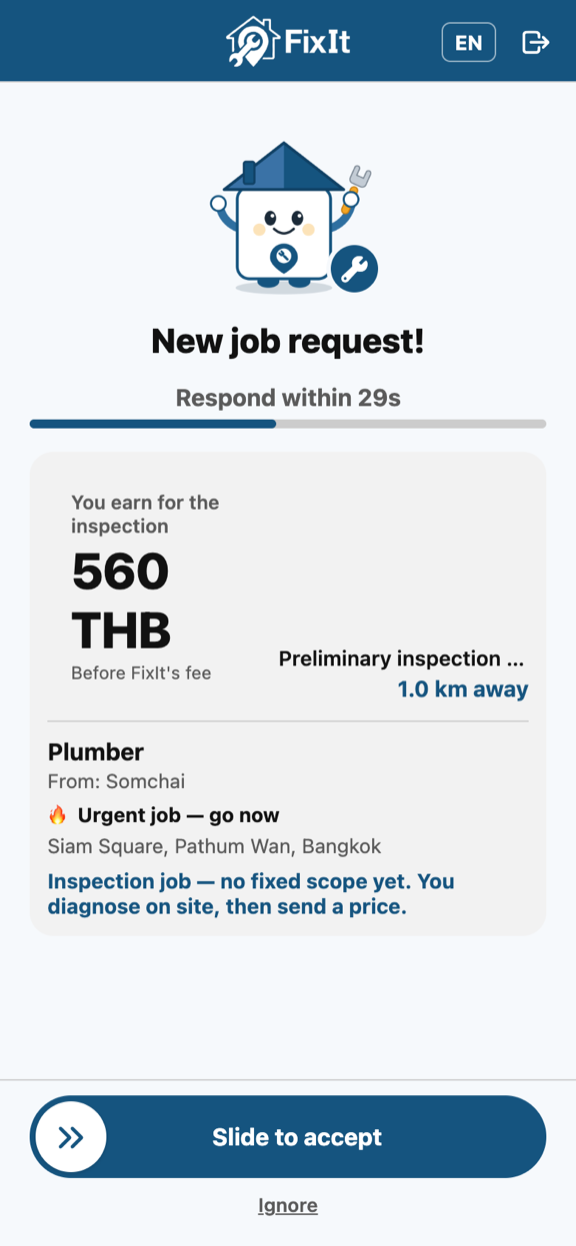
You'll see the customer, the distance, the schedule and what it pays. Two labels are worth reading before you tap Accept:
An inspection job is flagged before you accept — there's no fixed scope yet.
"This job needs 2 people" — bring a second pair of hands. The price already covers both.
"Inspection job" — you diagnose on site, then send a price. See below for how these pay.
5On the job
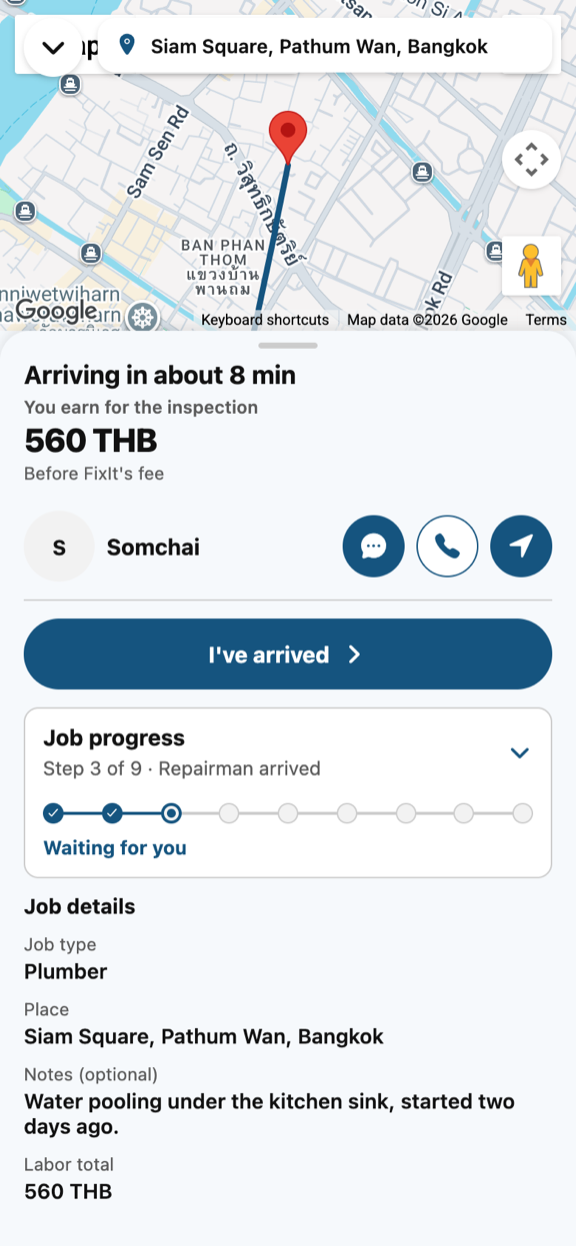
The customer follows your progress live.Your job card holds every action for the job.
Tap I've arrived when you get there. Don't skip this — from that moment a customer who cancels owes you a wasted-trip fee, instead of a much smaller fee that goes to FixIt.
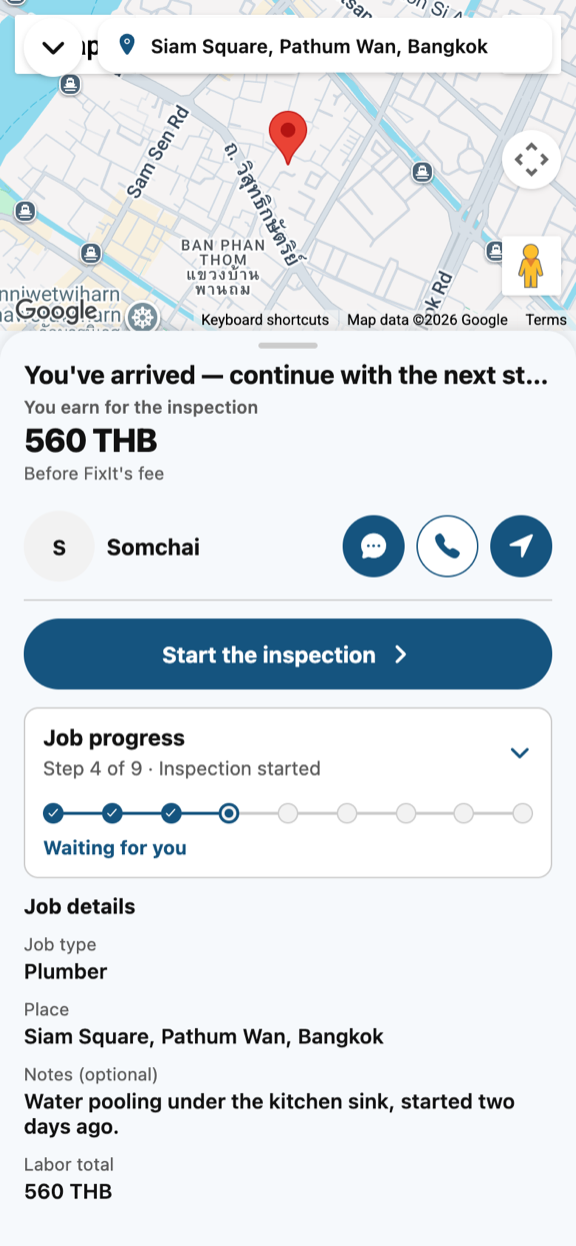
On an inspection job, tap Start inspection. From then on a cancellation owes you the full inspection fee, so your diagnostic time is protected.
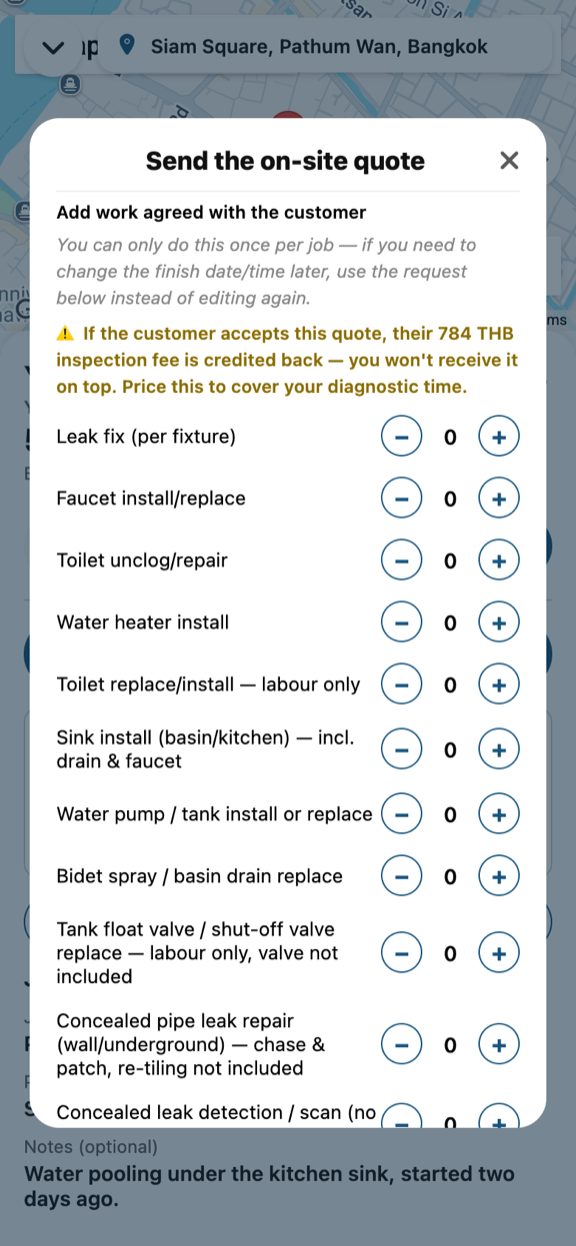
Found extra work? Agree it face to face first, then send it as a quote with a finish time you can meet. On a normal job you get one quote, so get it right. Nothing is added until the customer approves it.
Tap Start fix, do the work, photograph it, and mark the job done.
Inspection jobs — how they pay
The customer books an inspection because they can't name the fault. You travel out, diagnose it, then quote the repair.
The app tells you exactly what will be credited, while you're writing the quote.
Important: if the customer accepts your repair quote, the inspection fee is credited back to them — you do not receive it on top of the repair. Price your quote so it covers your diagnostic time as well as the repair.
If they decline your quote, or there's nothing worth quoting, tap Finish inspection and you keep the full inspection fee. Add a photo of what you found and a short note — the customer paid for a diagnosis, and that note is what they get for it.
On an inspection job you can send a new quote if the first is declined.
6Getting paid
The customer pays you directly — cash, transfer, or whatever you agree. FixIt never holds your money. Once they confirm payment in the app, close the job.
FixIt charges a platform fee on each completed job, taken from the card you have on file. Repairmen who meet our top-tier standards pay a reduced rate. Keep a valid card on file to keep accepting jobs.
Keeping your account in good standing
Cancelling jobs you've already accepted counts against you; too many and you stop being matched.
Customers rate you and you rate them — both sides are visible.
Missing a finish time you committed to affects your standing, so only commit to times you can meet.
Keep your ID document current. An expired one stops you being matched.